
Building Flippo: How I Created a Game with Just OpenAI & Cursor
26 October 2025 \\\ 5 min read
Stats
Goal
Accelerate game design & dev with AI
Timeline
> 24 hrs
Platform
OpenAI
Cursor AI
Focus
AI, UX-driven simplicity & responsive
Curiosity Turned Experiment
As more AI platforms kept popping up, I couldn’t resist exploring how far they could go especially in helping someone like me, a UX designer with zero coding background, build something real. I wanted to test: how rapidly could tools like OpenAI and Cursor AI create a fully working game?
I didn’t want to reinvent the wheel, so I turned to an existing concept everyone knows: Flappy Bird. Simple, addictive, nostalgic, perfect for experimentation.
Check Out The Game
If you are more interested in trying the game, click the button below and start flappin’!
Ideation: From Flappy Bird to Flippo
I started in OpenAI, asking for ideations inspired by Flappy Bird. I made a few tweaks, refining the rules and visuals to make it feel unique. I didn’t want a copy, I wanted something familiar yet fresh. That’s when Flippo, a cute little hummingbird flying through colourful worlds was born.
Once the game logic and concept were solid, I requested a Markdown format from OpenAI. Markdown turned out to be a hidden gem. Clean, structured, and easy for Cursor to read. It helped AI understand my intentions far better.
Markdown Format
In the 1st set I’ve prepared:
– Core Gameplay
– Scoring and lives
– Difficuilty Progression
– Obstacles & Themes
– UI Flows
In the 2nd set I’ve prepared:
– In-Game HUD (Heads-Up Display)
– Task screens & elements
– Visual & Audio styling
– Technical Details
– Future add-ons & summary
Click to learn more about the markdowns that were used to create the esscense of game with AI :
gdfgdgd
fggd
Set 1
# 🐦 Humming Flight — Game Design Document
## 🎮 Overview
**Humming Flight** is a side-scrolling pixel-art game inspired by *Flappy Bird*, where a **cute little hummingbird** flies through colorful worlds, collecting fruits and avoiding obstacles.
The gameplay is simple, charming, and progressively challenging — offering only **3 lives** and **5 rounds** of increasing difficulty.
—
## ✨ Core Gameplay
– The player controls a **small hummingbird** flying **from left to right**.
– **Controls:**
– ⬆️ **Up Arrow** — Move upward
– ⬇️ **Down Arrow** — Move downward
– ⎵ **Spacebar** — Pause/Resume game
– The bird must **avoid touching obstacles** and **collect fruits** for points.
– If the bird touches any obstacle, the player **restarts from the beginning of that round**.
– The game ends when:
– The player **loses all 3 lives**, or
– **Completes all 5 rounds successfully**.
—
## 🍓 Scoring & Lives
– Each fruit grants different points:
– 🍎 Apple — 10 points
– 🍌 Banana — 15 points
– 🍇 Grapes — 25 points
– 🍍 Pineapple — 40 points
– **Scoreboard:** Displays the current score at the top-right corner.
– **Lives:** Displayed as ❤️ icons near the score.
– Player starts with **3 lives**.
– Losing all lives triggers **Game Over** screen.
—
## 💥 Difficulty Progression
The game has **5 rounds**, each becoming **twice as hard** as the last.
The bird’s speed remains constant; difficulty changes come from obstacle complexity and density.
| Round | Theme | Description | Difficulty Changes |
|——–|——–|————–|——————–|
| 1 | 🌳 Forest Trail | Trees, branches, vines | Large gaps, slow obstacle movement |
| 2 | 🏜️ Desert Mirage | Pyramids, dunes, cacti | Narrower gaps, faster obstacles |
| 3 | 🌋 Volcanic Zone | Lava rocks, smoke | Moving obstacles introduced |
| 4 | 🪐 Sci-Fi Galaxy | Asteroids, satellites | Dynamic obstacle patterns |
| 5 | 👻 Mystic Realm | Ghosts, portals, runes | Tight spaces, shifting obstacles |
—
## 🧱 Obstacles & Themes
– Obstacles change each round and fit their environment.
– Each has a **unique color palette** but maintains **pixel-art consistency**.
– Avoid repetitive shapes — each theme introduces new visual and movement mechanics.
—
## 🕹️ User Interface Flow
### 🏠 **Main Menu**
– Title: **”Humming Flight”**
– Buttons:
– 🟢 **Play Now**
– ⚙️ **Settings**
– 🏆 **Leaderboard**
– Background: Hummingbird gently flapping wings in a loop animation.
—
### 🪶 **How to Play Popup**
When **Play Now** is clicked:
– Display a **semi-transparent modal**:
Set 2
– Clicking **Start Now** begins **Round 1**.
—
### 🎯 **In-Game HUD**
– **Top Left:** ❤️❤️❤️ (Lives)
– **Top Right:** `Score: 0000`
– **Bottom Center:** Pause icon (only visible when paused)
– Smooth transitions between rounds with short “Round X” intro text.
—
### 💀 **Game Over / Completion Screen**
Displayed when:
– Player loses all lives, or
– All 5 rounds completed successfully.
**Elements:**
– Final score display
– Message: *”Game Over!”* or *”Congratulations, You Did It!”*
– Player input fields:
– **Name**
– **Country**
– **Short Feedback**
– Buttons:
– 🔁 *Play Again*
– 🏠 *Main Menu*
—
## 🎨 Visual & Audio Style
– **Art Style:** Pixel-art; bright and lively, but slightly softened pixels (not overly blocky).
– **Colors:** Vivid, nature-inspired, slightly retro palette.
– **Hummingbird:** Small, detailed sprite (3–4 frame wing-flap animation).
– **Fruits:** Vibrant and easily distinguishable.
– **Backgrounds:** Parallax-scrolling layers to create depth.
– **Sound Design:**
– Background music per theme.
– Fruit collection → “chime” sound.
– Collision → soft “thud”.
– Round completion → “victory” jingle.
—
## 🧩 Technical Details
– **View:** 2D side profile.
– **Recommended Engine:** HTML5 Canvas / Phaser.js / Unity 2D.
– **Target Frame Rate:** 60 FPS.
– **Pause Functionality:** Freezes game motion, dims background.
– **Data Storage:** Local storage for high scores and player details.
—
## 🗺️ Future Add-ons (Optional)
– Unlockable hummingbird skins
– Power-ups (shield, fruit magnet, slow motion)
– Daily challenges
– Online leaderboard
– Themed seasonal events
—
## ✅ Summary
**Humming Flight** combines classic arcade simplicity with adorable visuals and progressive challenge.
The aim is to balance **fun, focus, and replayability** — giving players a lighthearted yet satisfying experience through five beautifully themed rounds.
—
Perks of Using Markdown Format
🧩 Structured Understanding
AI interprets content hierarchically, making it easier to process sections like setup, logic, and styling.
⚙️ Cleaner Integration
Markdown is lightweight and compatible across tools like Cursor, allowing for direct translation into code.
🧠 Improved Context Retention
Helps AI maintain coherence between prompts without “forgetting” earlier instructions.
💡 Readable for Humans
Easy for me (a non-coder) to read, tweak, and understand what’s happening under the hood.
⚡ Instant Setup
Cursor can instantly parse Markdown into runnable code blocks, saving hours of manual structuring.
From Prompt to Playable Prototype
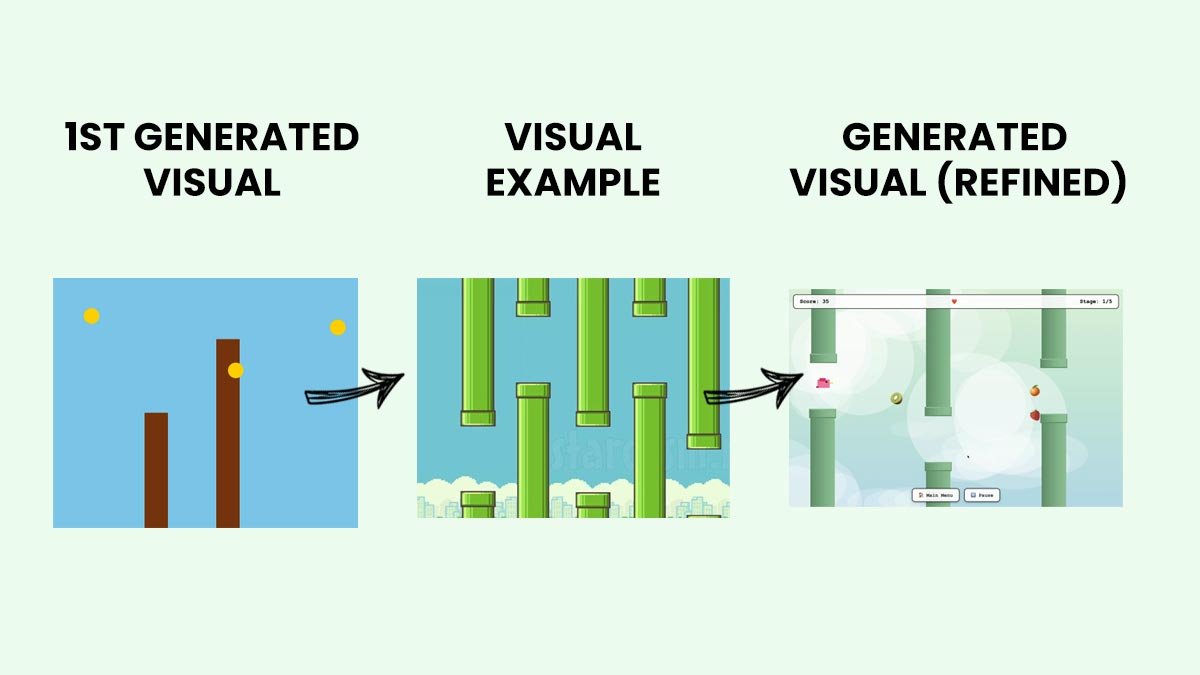
Next, I opened Cursor AI, pasted the markdown and within five minutes, the game came to life. A working, visual prototype with basic functionality. It was simply mind-blowing.
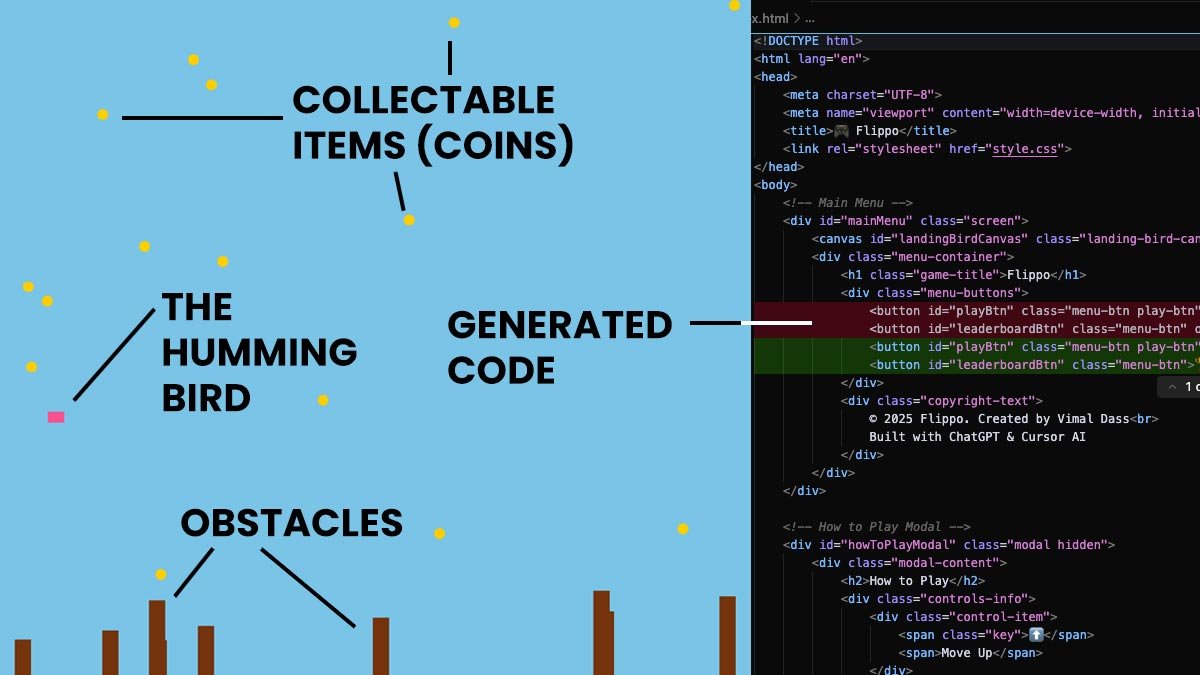
Check out how the elements came to life with just basic layers and simple colours and shapes to differenciate while the logics of the game is almost 70% completed.
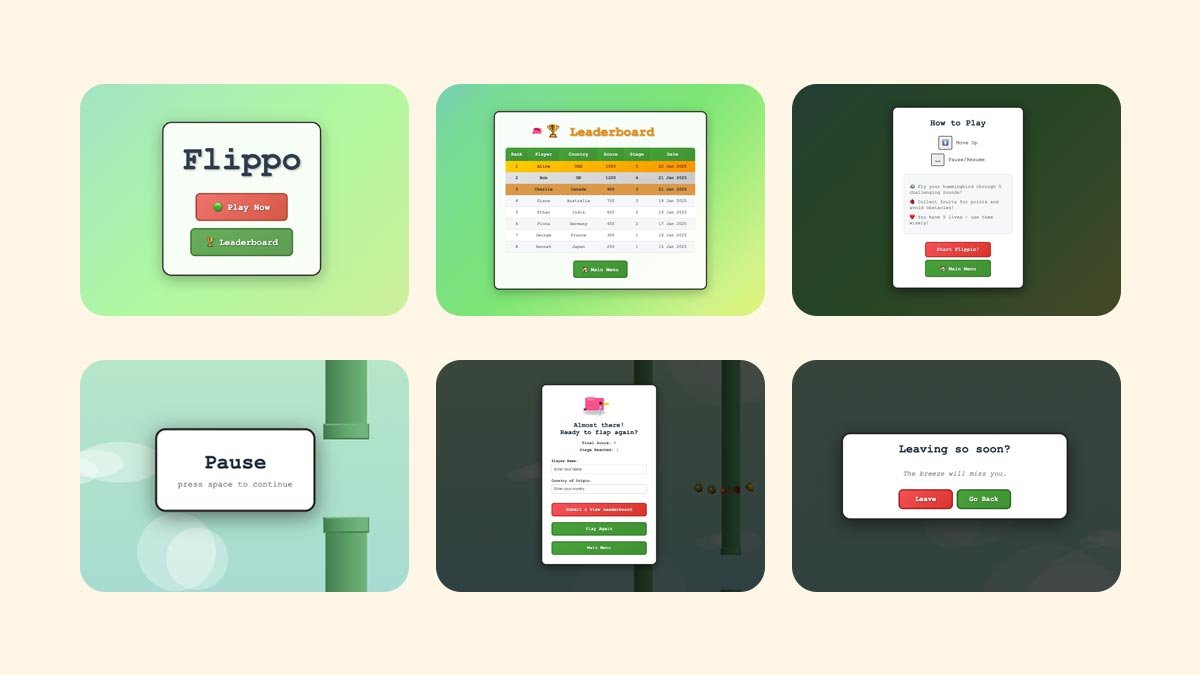
Cursor was able to generate and built various screens in the game, based on the markdown format. This clearly proves how easily AI platforms understand your requirement more efficiently in this format. It created the following UIs:
1. Landing / Home with counter board
2. Leaderboard
3. How-to-play
4. Various popup scenarios: Game over, pause and return to menu
Then came the fun part: refinement. Unlike traditional developer crunches, this time I had a non-complaining, always-available “developer” (AI) to collaborate with. I could freely iterate on game rules, visuals, and experience flow making everything smoother, more intuitive, and fun.
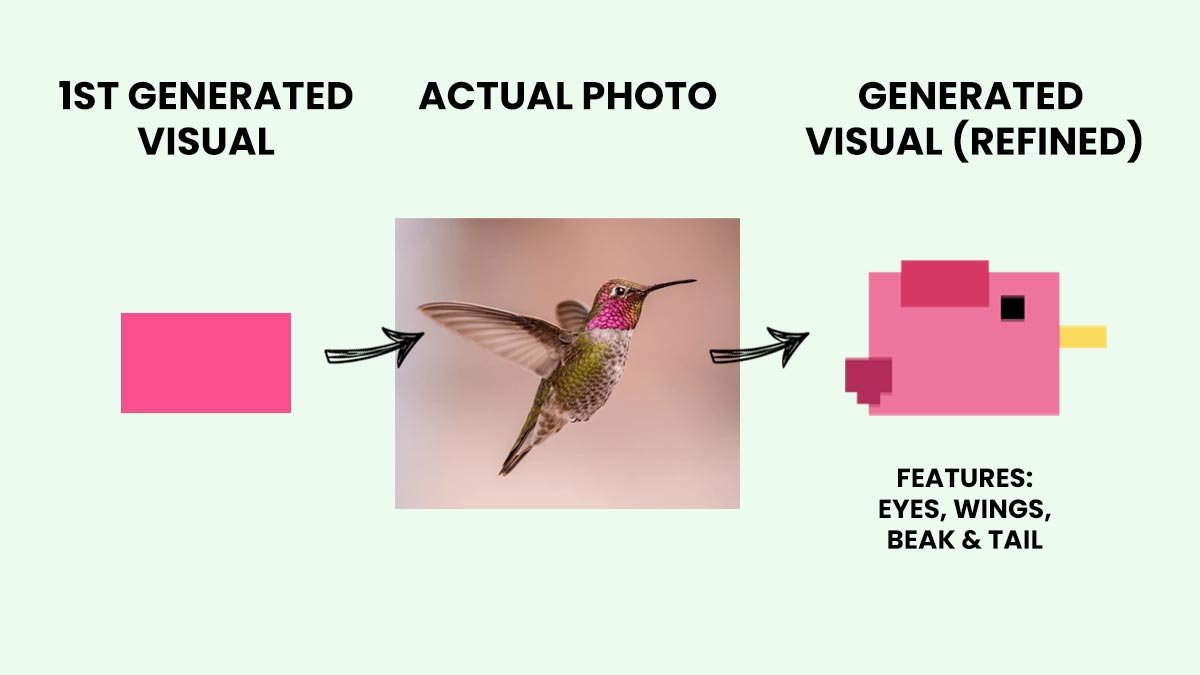
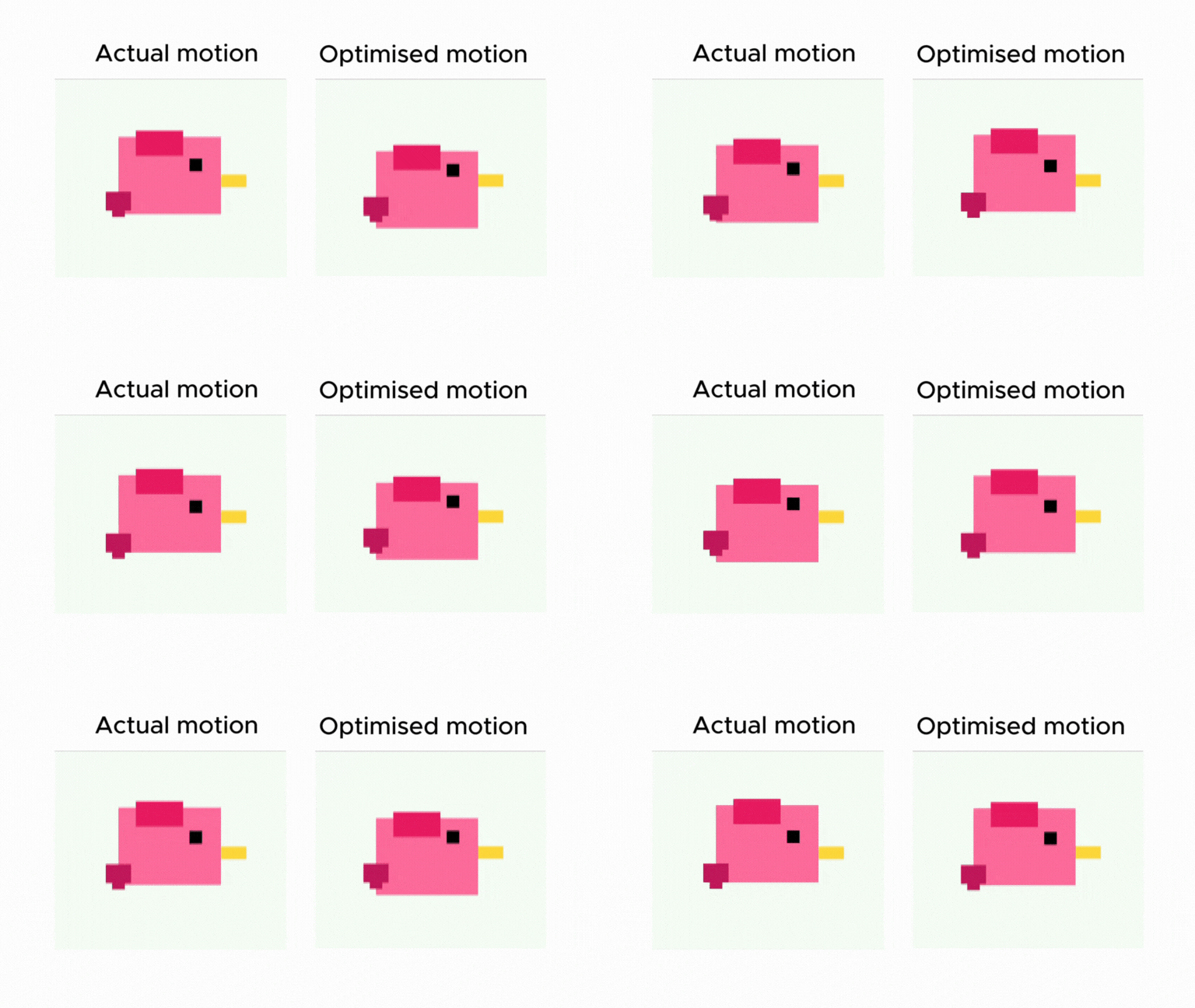
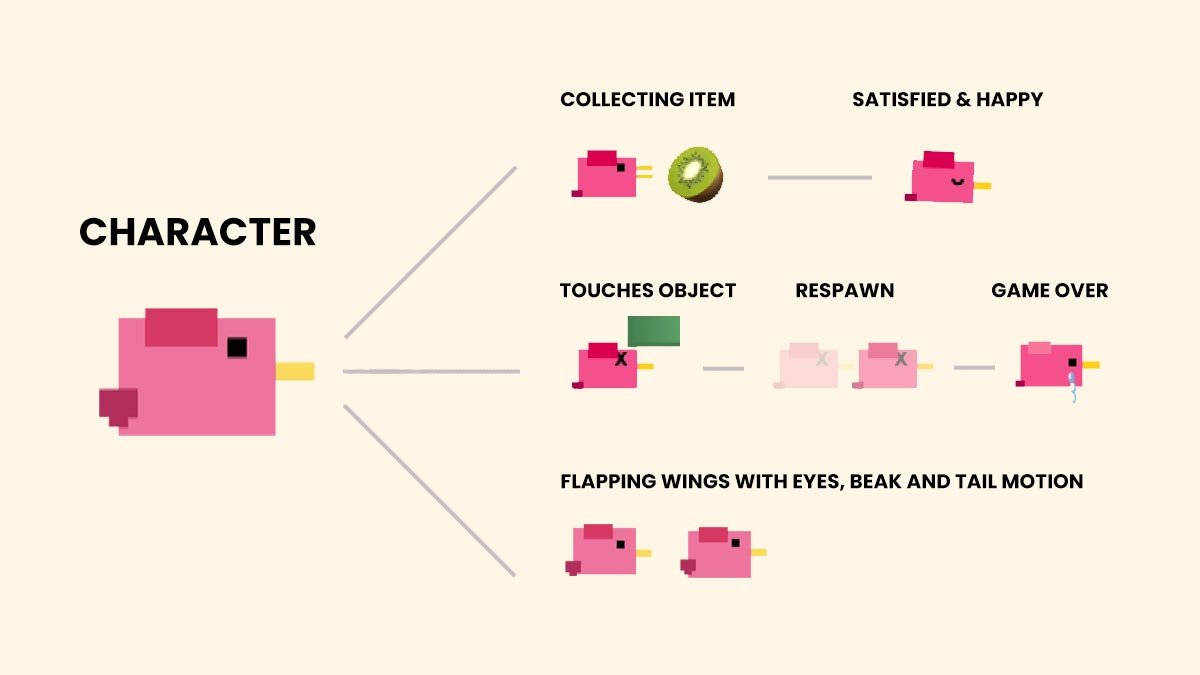
Refining and creating simple features of the hummingbird without using any design tools was interesting. Wanted to keep it simple while also exploring how AI identifies objects / subjects and re-create them to align with current game style.
I also explored further to create more liveliness and characteristics to the bird. From animation speeds, to crafting various feelings based on game scenerios. It completely changed how the game was perceived as well as improving the user journey in the game with intuitive responses from the birdy character.
Theme A/B Testing
While I was refining the elements in the game, I noticed the colours and shades are looking far apart from the overall game experience. Even the individual stages are using pastels that does not align with the landing UI screens. To counter and fix this issue, I tried requesting Cursor to provide some options to compare but to my suprise, it gave me simple yet effective HTML pages that displays the colours and varities we could explore:
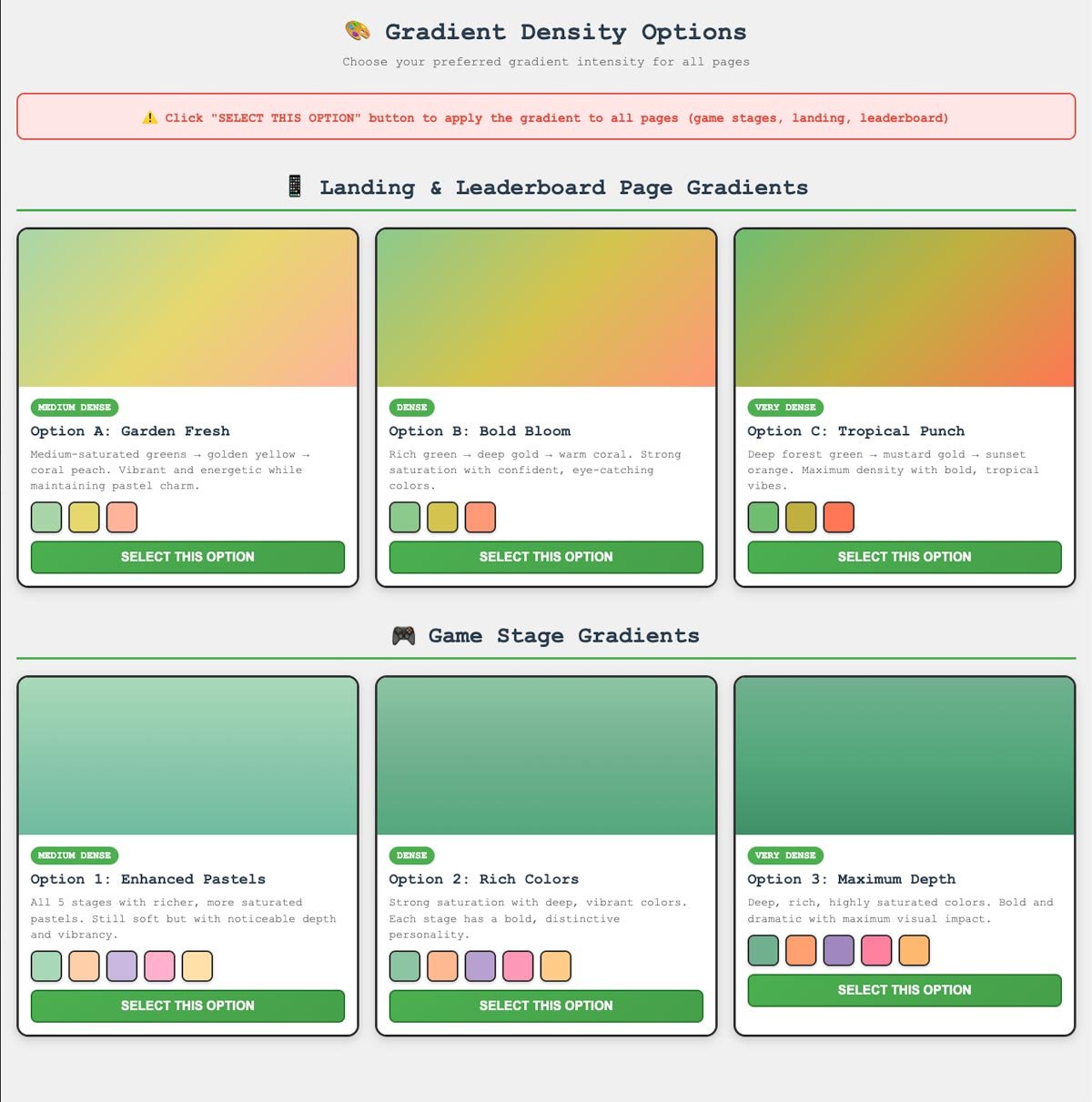
Though there were buttons to select preferred colour gradient, I still need to go to Cursor and mention which option I would like to proceed with. Though Cursor is completely a Dev tool-based interface, its amazing how it generates visuals like these in simple HTML file just help user make better decisions without needing to do all those manual stuffs.
A Complete Visual Review of Game
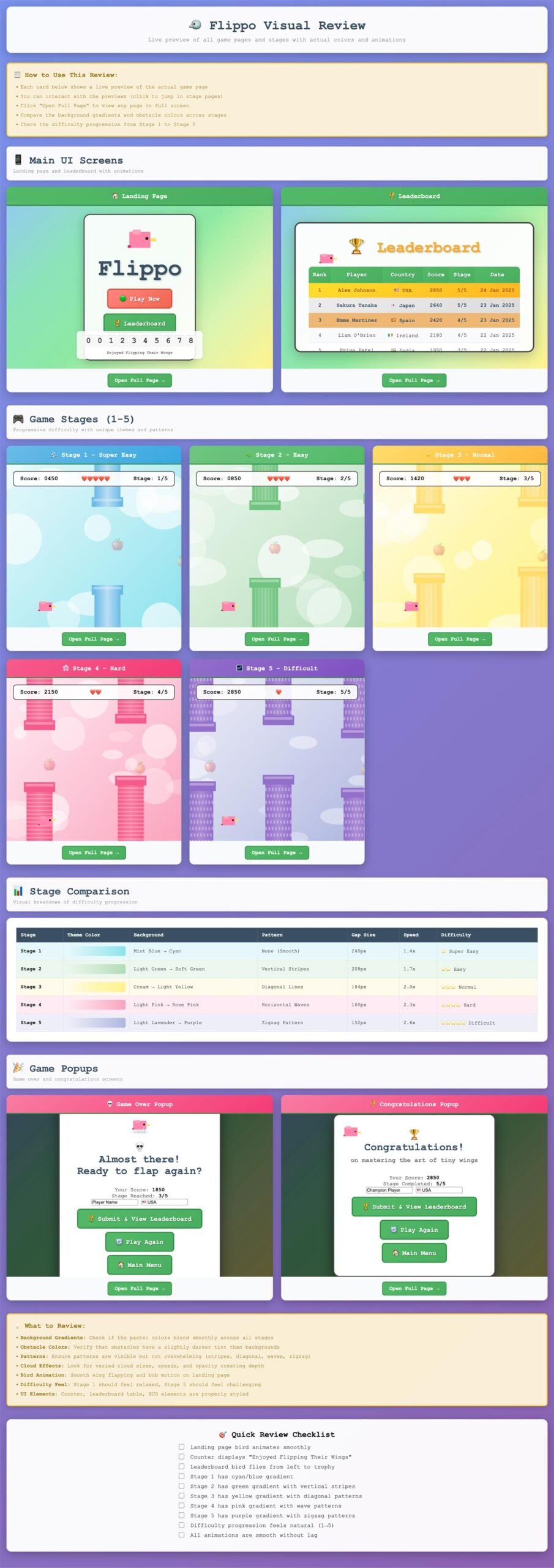
Since the possibility of reviewing tints and shades was easy, I decided to do an overall visual-checking of the whole game, from various scenarios to the game themes in each stage. Cursor simply created a plain HTML with the existing elements and placed them categeorically. Now I don’t need to play to review all stages but rather glimpse from a single HTML page.
Refining with Structure
As excitement grew, I kept adding ideas and requests. Soon, I realised the downside of AI collaboration. When instructions are scattered, AI gets confused and struggles to prioritise. So, I started categorising changes into three parts: Visuals, Game Rules, and Logic.
Even then, clarity was key. For each category, I only shared one main issue and two sub-issues. That structure completely changed the game. AI began fixing 95% of things correctly and consistently:
-
Main issues were complex ones involving multiple dependencies.
-
Sub-issues were smaller tweaks that didn’t affect other logic.
The Great Crash & Clean Code Lesson
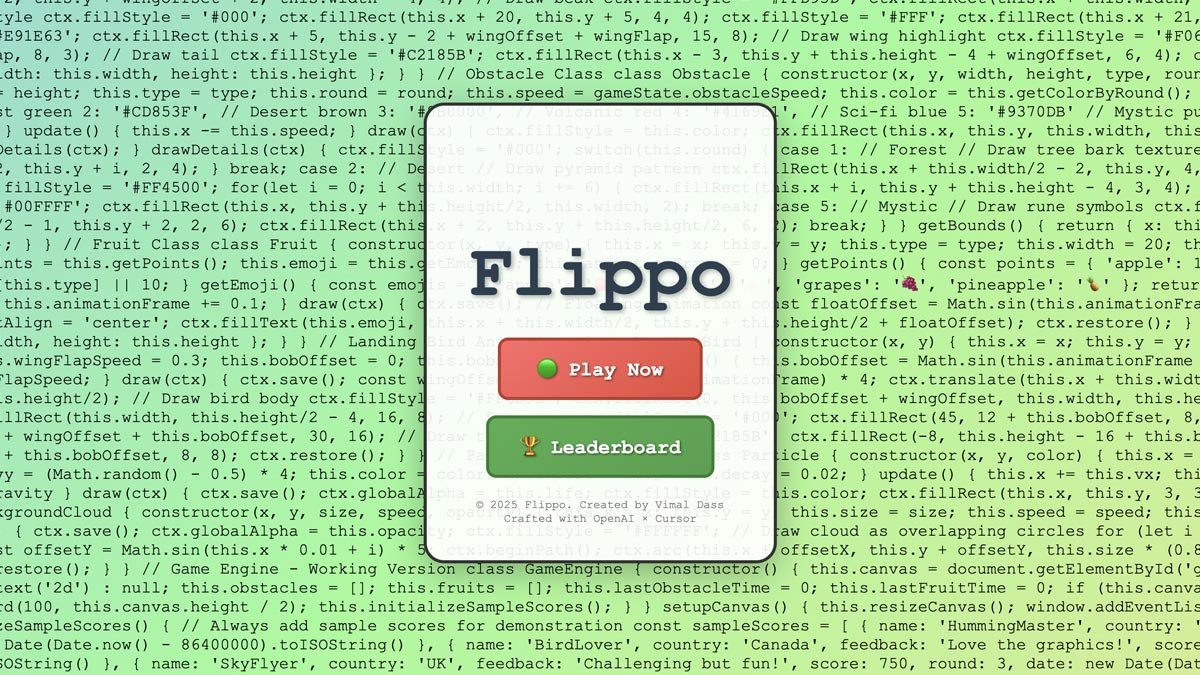
Just when I thought everything was perfect, the game crashed completely. Only the landing page loaded, and even that had non-clickable buttons with codes all over the gradient background. All my previous progress was gone.
Then I remembered advice from my past developer friends “Always clean your code.” I realised I’d gone too far refining without cleaning or testing properly. So, I restarted from scratch, reusing the Markdown structure but now with clearer intent. Funny enough, I caught myself thinking like a developer.
A Game That Finally Came Alive
Though the title says “Built in under 24 hours,” in truth, it took almost 48 hours to rebuild Flippo to 90% of its original version. Since I wasn’t familiar with deployment packages, I requested simple HTML, CSS, and JavaScript, no frameworks, no TypeScript.
To my delight, it worked beautifully responsive, smooth, and deployed for anyone to play.

A Lesson Beyond Game Design
This experience taught me more than just how to build a game. It revealed how AI can shape our creativity, design process, and problem-solving approach. Working with AI isn’t about replacing creativity, it’s about expanding it and working and focusing more on areas that matters which helps to improve overall intended user experience.
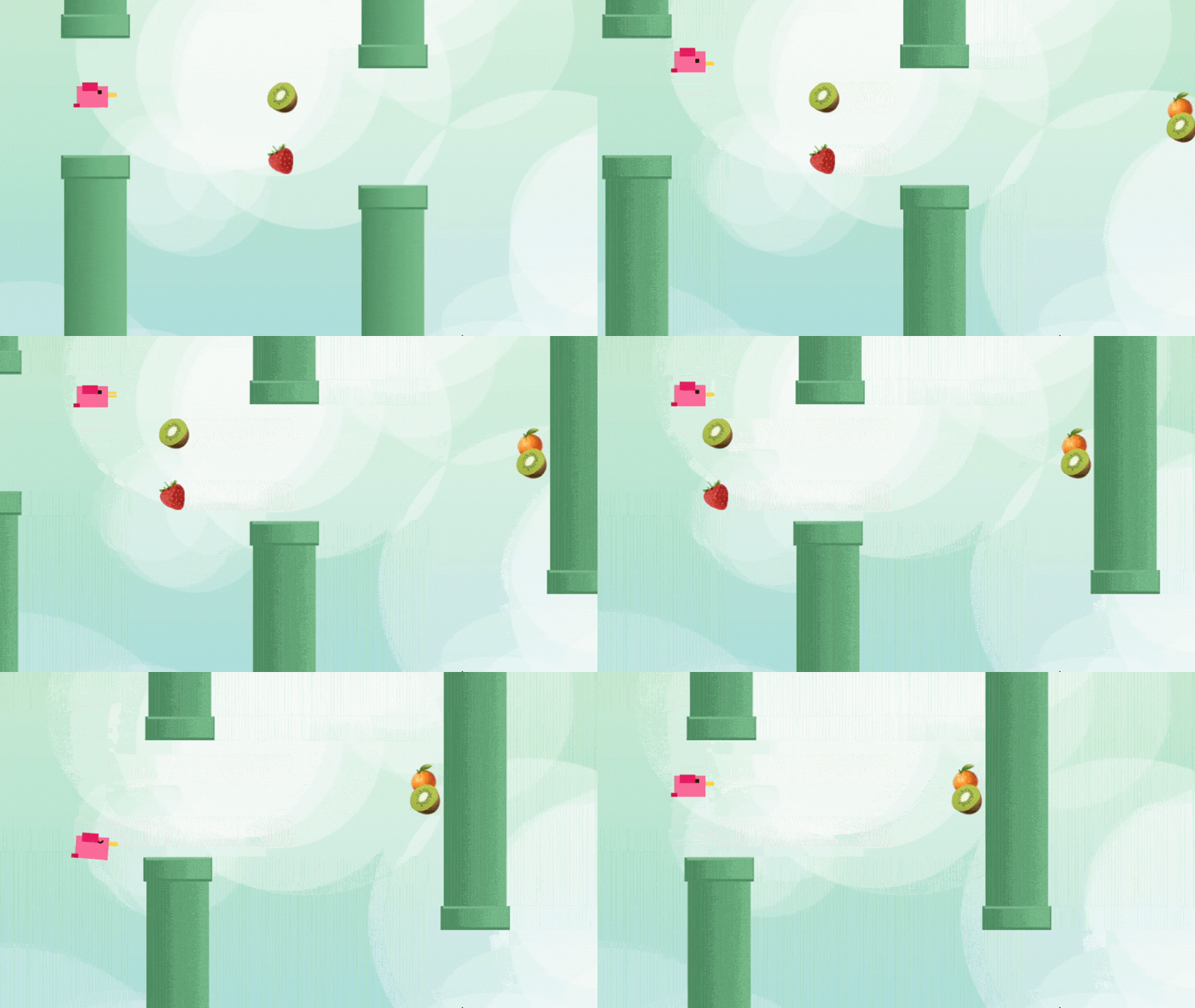
Try Flippo Today
Try the game now and see what AI and curiosity can create together:
Read More

Why UX Designers Should Master Markdown — Especially in the Age of AI
3 November 2025 \\\ 3 min readIn the age of AI-assisted design, clarity has become a creative superpower.As UX designers, we spend our days turning complexity into simplicity, yet many of us overlook one of the simplest tools to structure our thoughts:...

Hyper Personalization In UX
30th November 2024 \\\ 3 min readWhy Users Crave Personalized ExperiencesIn today’s digital world, users don’t just want products—they want experiences that feel personal. Hyper-personalization goes beyond basic customization. It uses real-time data, AI, and...